

In our lab at the Indian Institute of Technology, a first-year student was nervous. They watched as “Hello, World!” printed to the console for the first time. This simple moment changed the room’s mood. Curiosity replaced anxiety, and a clear path forward became visible.
That scene shows why Computer Programming Basics are important. The demand for computing skills is growing worldwide. The U.S. Bureau of Labor Statistics says computing roles will grow a lot. We need to teach students and teachers in India the basics of programming.
Learning to code is not just for school. It can change your career. In this article, we will show you the basics. You will learn about input/output, processing, storage, and control flow.
We will also teach you how to write your first program. You will learn how to debug and about functions, algorithms, data structures, and object-oriented principles. We will also cover version control.
We aim to guide you like a Sage and Creator. We want to make learning fun and easy. Our goal is to help you learn computer programming with confidence and reduce imposter syndrome.
If you need help with courses in India, call us at +91 8927312727 or email info@nextstep.ac. Let’s make coding basics into lasting skills together.
Understanding Computer Programming Fundamentals

We start by explaining what programming means. It’s about solving problems with code. This skill is linked to computer science, including hardware and software.
What is Computer Programming?
Programming means telling a machine what to do. We write, test, and keep code up to date. It’s a mix of theory and doing things.
For newbies, starting with simple projects is best. They make complex ideas real.
Importance of Programming Skills
Jobs need people who can code. You can be a web developer or AI engineer. Learning programming helps with many skills.
Start with projects and then learn more. Many learn by themselves or through online courses. Learning early is important, as shown at basic computer knowledge.
Common Programming Languages
Choosing a language depends on your goals. JavaScript is great for web development. Python is good for data science.
Java and C++ are for big projects. Pick one language and make projects. This way, you learn by doing.
Key Concepts in Programming

We learn the main ideas that make code work well. These ideas are key for coding and are important for beginners. Knowing them early makes learning easier.
Variables and Data Types
Variables hold values like numbers, text, and lists. In programming languages like Python and Java, you declare them. Knowing if they can change is important.
Data types tell the program how to use a value. For example, integers do math, and strings hold text. Knowing this helps avoid mistakes.
Try declaring a variable and checking its type. This helps fix common mistakes found in tutorials.
Control Structures: Loops and Conditionals
Control flow guides the program. Conditionals decide what to do next, and loops repeat tasks. Learning these is key to making programs efficient.
Be careful with loops, as they can slow down big programs. Knowing how to choose the right loop is important.
Practice with small programs. They help you understand how to use conditionals and loops. This is a big part of learning to program.
| Concept | Typical Examples | Common Pitfall | Quick Fix |
|---|---|---|---|
| Variable declaration | let x = 10; int count = 0; var name = “Asha”; | Uninitialized use causes runtime error | Initialize variables before use |
| Data types | int, float, string, boolean, list, dict | Implicit type coercion in JavaScript | Use explicit parsing or type checks |
| Conditionals | if/else, switch/case | Missing branch for edge case | Add default or else branch |
| Loops | for, while, forEach | Off-by-one errors and infinite loops | Test with small inputs and include loop guards |
| Collections | Arrays, lists, JSON objects | Wrong index base or key name mismatch | Verify indexing and use descriptive keys |
Writing Your First Program

We start by showing you how to get set up. This guide helps you learn to program by focusing on the right tools and habits. It’s perfect for students in India, fitting well with both school and home settings.
First, pick a good code editor. Visual Studio Code is a great choice because it has many extensions. Then, install language runtimes like Python from python.org or Node.js for JavaScript. Use package managers like pip and npm to add libraries.
For web work, use browser developer tools. They help you check HTML, CSS, and JavaScript. Keep your environment clean by using Git for version control and committing often. Use formatters like Prettier or Black to keep your code easy to read.
Learn basic terminal commands. They help you run scripts and move around folders. Modern online IDEs like Repl.it and GitHub Codespaces make setting up easier for classes and labs.
Now, let’s write and run some simple code. Start with a “Hello, World!” program. It teaches you about input and output. Run it in the terminal or browser console and see the output.
Then, make the program ask for user input. Do a small math problem and print the answer. This helps you understand how programs work.
Try changing things in the program. Add a condition or loop it a few times. Run it again to see how it changes. This helps you get better at coding.
Do exercises every day to improve fast. Start with simple ones from beginner tutorials. This will help you learn faster.
In class, have a simple checklist. Make sure you have an editor, runtime, Git, and a working example. Use this checklist for labs and projects in your programming class.
Dealing with Errors and Debugging

When we start working on real projects, we face errors. It’s important to know how to handle them. We use debugging techniques to find and fix problems.
Common Types of Errors
Syntax errors happen because of typos or bad code. They are easy to find because tools point out the problem. Runtime errors pop up while the program is running, like division by zero.
Logic errors are tricky. They make the program give wrong answers. Type errors happen when data types don’t match, like mixing strings and numbers.
Environment errors occur when libraries are missing or versions are wrong. Knowing these types helps us fix problems faster.
Debugging Techniques
- Read error messages carefully: they often name the file, line, and exception.
- Reproduce a minimal failing example: isolate the smallest code that breaks.
- Use print or logging statements to check the program step by step.
- Set breakpoints in a debugger like Visual Studio Code or Chrome DevTools to walk through execution.
- Apply binary-search isolation: remove half the code to narrow the fault quickly.
We use unit tests to catch problems early. Linters and static analysis tools check our code before we run it. If we get stuck, we look at official documents or Stack Overflow.
Working together helps us learn faster. Code reviews and pair programming share knowledge. For beginners, learning to debug turns mistakes into learning opportunities.
Introduction to Algorithms

Algorithms are clear steps to solve problems or tasks. In Computer Programming Basics, every function is like an algorithm. It has inputs, steps, and outputs.
Understanding Big O notation is key. Big O shows how fast an algorithm runs with more input. It helps compare without worrying about the machine or language.
There are common complexity types in beginner tutorials:
- O(1) — constant time, like accessing an array element by index.
- O(log n) — logarithmic time, as in binary search on a sorted list.
- O(n) — linear time, from scanning every item once.
- O(n log n) — typical for efficient sorts such as merge sort.
- O(n²) — quadratic time, often from nested loops; avoid it for large inputs.
Linear search checks items one by one. It’s simple but slow. Binary search cuts the search space in half each step. It’s faster but needs sorted data.
Sorting is another key area. For small arrays, simple sorts work well. But for big data, quicksort and merge sort are better.
Think of an algorithm like a recipe. Break tasks into steps, choose the right data structures, and think about complexity. This helps in coding interviews and building scalable systems.
Beginner tutorials should mix hands-on exercises with theory. This builds problem-solving skills and grounds students in programming basics.
Working with Functions
We share tips for making functions reliable and easy to keep up. In our work with Computer Programming Basics, small, clear functions make hard tasks simple. This method is key in Python, JavaScript, and Java.
First, we talk about how to make a function and what scope means. A function is like a box that holds code you can use again. It takes in things, does something, and might give back something.
Scope is like where the box is kept. Local scope means it’s in the box. Global scope means it’s everywhere. It’s better to keep things local to avoid mistakes.
In JavaScript, closures are special. They let a function remember things even after it’s done. But use them wisely to manage state, not to hide problems.
Best practices say each function should do one thing well. Make sure inputs and outputs are clear for testing and using again. These habits are at the heart of programming.
Here are some steps to make good functions:
- Write small, focused functions.
- Document what goes in and what comes out.
- Try to make functions that don’t change anything.
- Keep things local to avoid problems.
- Test functions well, for all kinds of situations.
Functions make programming better by breaking it down. They help teams work together better. This makes code easier to read, test, and fix over time.
For example, helper functions for lists or libraries that avoid repeating code. In JavaScript, a map-filter-reduce group or a small validator in Python makes code clearer and less repetitive.
| Aspect | What to Do | Why It Matters |
|---|---|---|
| Function Size | Keep under 20 lines when possible | Enhances testability and readability |
| Scope | Use local variables; avoid globals | Reduces unintended interactions |
| Purity | Prefer pure functions for logic | Makes unit testing deterministic |
| Documentation | State inputs, outputs, and side effects | Speeds onboarding and review |
| Testing | Add unit tests for normal and edge cases | Catches regressions early in development |
Data Structures Overview
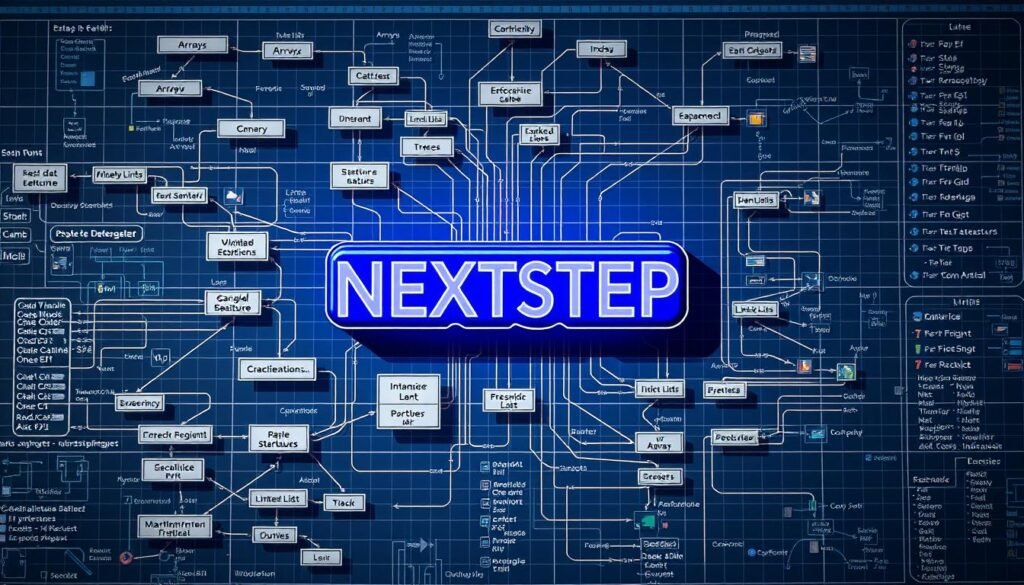
We talk about how data structures help make programs run well. They store, organize, and let us get to information easily. Choosing the right one depends on how we use it, what we need, and the problem we’re solving.
Learning these basics helps us build systems that grow with real projects. Companies like Google, Amazon, and Flipkart use these skills.
Arrays and Lists
Arrays store data in a row, with each item having a number. This makes getting to any item fast. It’s great for things that need to be in order and accessed quickly.
Lists, like linked lists, are good for adding or removing items. They’re not as fast for random access but are great for changing things in the middle. Use arrays for quick access and lists for adding or removing items.
Understanding Objects and Dictionaries
Objects and dictionaries store data in pairs. They let us find things quickly by their key. In web work, JSON is often used to move data around.
They’re useful for things like user info, settings, and fast lookups. If you need to find something by a specific ID, use a dictionary.
It’s smart to mix things up: use an array of objects for order and an object map for quick finds. This mix is seen in React and Node.js.
Remember, the data structure you choose affects how complex your code is. Picking the right one early on saves a lot of trouble later.
Basics of Object-Oriented Programming

We introduce object-oriented programming with clear examples. These examples fit Computer Programming Basics for students and engineers. This guide links OOP basics to practical design choices and career relevance in languages like Java, C++, and Python.
We break down the three core principles using simple metaphors. This makes the concepts stick fast.
Encapsulation is like a protective casing. It bundles state and behavior inside a class. It controls access with public and private members. This keeps code safer and easier to maintain, a vital part of programming fundamentals.
Inheritance reads like building on a blueprint. A subclass reuses and extends behavior from a parent class. This cuts duplication and models real-world hierarchies, which helps when designing large systems.
Polymorphism feels like actors using the same script. Different objects respond to one interface in their own way. Polymorphism simplifies APIs and lets teams add new types without rewriting client code.
When creating your own classes, follow these practical steps to stay productive.
Define class attributes and methods clearly. Use a constructor to initialize state. Distinguish instance methods from class or static methods so responsibilities remain clear. Prefer composition over inheritance when you need flexible, modular designs.
Here are common patterns to include in your classes:
- Constructors for safe initialization
- Getters and setters with controlled access
- Instance methods that operate on object state
- Static methods for utilities that do not require object state
We recommend design choices based on context. Use object-oriented programming for stateful systems, domain modeling, and large codebases with many interacting entities. For stateless transformations and data pipelines, consider functional patterns or data-oriented design instead.
Understanding these concepts boosts architectural thinking and team collaboration. Mastering OOP basics strengthens a developer’s grip on core programming fundamentals. It improves readiness for enterprise work at companies that rely on class-based designs.
| Concept | Metaphor | When to Use |
|---|---|---|
| Encapsulation | Protective casing | Protect state, simplify maintenance |
| Inheritance | Blueprint extension | Reuse behavior across related types |
| Polymorphism | Actors with one script | Abstract interfaces for flexible code |
| Composition | Modular assembly | Prefer for flexible, decoupled design |
Introduction to Version Control Systems

We look at version control and why it’s important for learning Computer Programming Basics. It helps avoid lost work, supports teamwork, and makes projects easier to handle as they get more complex.
What is Version Control?
Version control systems keep track of file changes over time. Teams use them to work together, check changes, and go back to earlier versions if needed. For students and professionals, a VCS makes sure all work is saved and can be seen.
It offers safe ways to go back, work on different things at the same time, and keep a record of changes. Employers look at commits on GitHub or GitLab to see how well someone codes and manages projects.
Using Git for Beginners
Git is a popular VCS. For beginners, start with a few basic commands: git init or git clone, git add, git commit, and git status. These help you start a repository and track changes.
Branching is easy: make a feature branch, commit often, and then push and open a pull or merge request on a remote host like GitHub. Use git branch, git checkout, git merge, and git pull or git push to keep everything in sync.
Some tips make using Git smoother. Use a .gitignore to ignore files you don’t want to track. Sign up for GitHub to host your projects and build a portfolio. Practice solving merge conflicts in small ways to get better fast.
For beginners in programming, start using version control from the beginning of a project. A clean commit history and clear messages show you’re professional. Make small, frequent commits to tell a clear story of how your project grew.
Resources for Further Learning
Learning to program is a journey. Start with simple tutorials to feel confident. Then, move to structured courses and projects.
For web work, focus on JavaScript. For data and automation, learn Python. You can learn to program without a degree if you study hard and work on projects.
Online Courses and Tutorials
Start with beginner tutorials on freeCodeCamp or Codecademy. Then, take more advanced courses on Coursera and edX. For deeper learning, try University of the People’s online courses.
Use hands-on exercises and build small projects. This way, you turn ideas into real skills.
Recommended Books and Communities
Read classic books like Introduction to Algorithms and Clean Code. Also, check out Eloquent JavaScript or Python Crash Course for language skills.
Join online communities like Stack Overflow and GitHub. Go to local tech meetups or university groups. Use LeetCode, HackerRank, and hackathons to improve your skills.
Plan your next steps carefully. Start with small projects and solve challenges. Publish your work on GitHub and help with open-source projects.
If you need help in India, call +91 8927312727 or email info@nextstep.ac. Remember, it’s okay to feel like an imposter at first. Keep practicing and using the right resources. Learn together, build big, and grow your skills.