

In a late-night lab at the Indian Institute of Technology, a small team worked hard. They made a prototype to track campus footfall using cheap sensors and a Raspberry Pi. This project taught them Python, circuit design, and how to convince a tough professor.
This article is a focused list of Computer Studies Projects for students, teachers, and engineers in India. We mix learning with doing to give you computer science project ideas that work.
These projects are important because they turn theory into skill. They help you get better at programming or combining hardware and software. They also improve your soft skills like talking, working together, and solving problems.
Choosing the right project for your final year can help you get a job or start a business. We help you find computer projects that fit your interests and what the industry needs. This way, your hard work can help you move forward in your career.
For help that fits our mission to change technical education through creativity and innovation, call +91 8927312727 or email info@nextstep.ac.
Introduction to Computer Studies Projects
We think doing hands-on work makes ideas real. In India, learning in class should match real-world needs. Project-based learning helps by making students work on tasks that matter.
Doing real tasks improves skills like working with hardware and designing user interfaces. Students learn to apply math and algorithms to real systems. This is key for projects that aim to solve real problems.
Importance of Practical Experience
Projects help students solve problems and make good decisions. When students do IT research projects, they learn with tools like Raspberry Pi. They get better with help from teachers and peers.
Working in teams teaches students to communicate and plan. Employers like to see projects and how they were improved. Final-year projects show off students’ ability to work independently.
How Projects Enhance Learning
Choosing a good project idea is important. It should match your interests and be doable. Look at what others have done and talk to teachers before starting.
Working on projects teaches students about choosing the right tools. They learn about testing and deploying software. Breaking tasks into smaller steps helps keep projects on track and successful.
Project Idea 1: Building a Simple Website
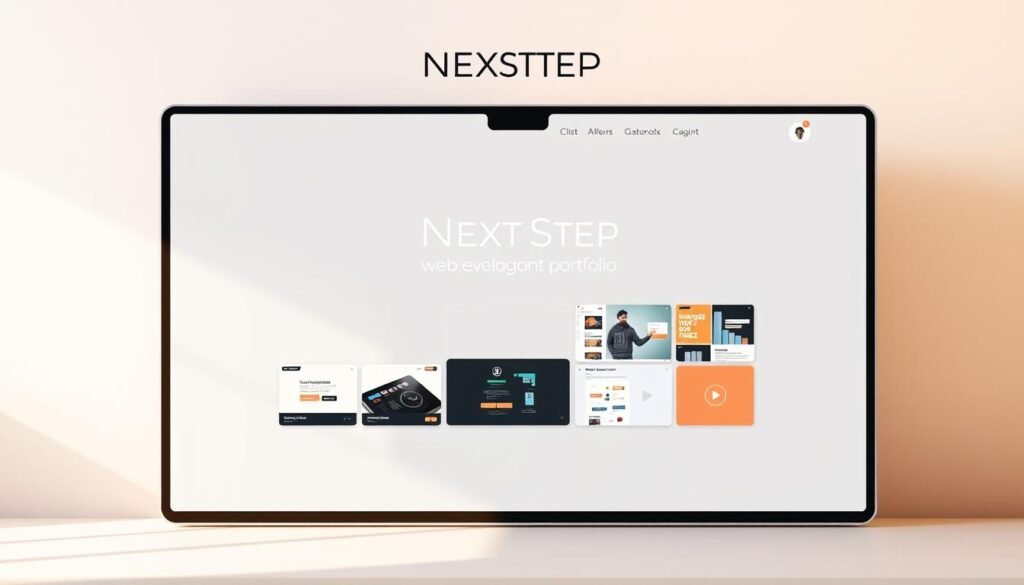
Start with a personal or small-business website to learn the basics. This project teaches you about frontend layout, responsive design, and backend integration. It’s great for students and helps in university applications.
First, make a plan. Gather needs, draw a wireframe, then build and test. This process is like many projects in school and hackathons. Adding a simple API or database makes it more useful.
Use a simple tech stack for quick progress. HTML5 and CSS3 are the base. JavaScript adds interactivity. Bootstrap or Tailwind CSS helps with styling. Git with GitHub teaches version control. Deploy on GitHub Pages or Netlify to show your work.
Tools to Use
Choose tools that help you learn. Figma or Canva is good for wireframes and mockups. Visual Studio Code is great for frontend work. Add React.js for component-driven UIs. Node.js with Express is good for backend APIs.
For databases, pick one that fits your project. MySQL for structured data, MongoDB for flexible schemas, or Firebase for quick hosting and auth. These choices help you learn more for future projects.
Basic Structure of a Website
A website has a simple structure: landing page, navigation, content pages, and a contact or dashboard area. Use CSS grid and flexbox for responsive layouts. Test on different devices for usability. For dynamic features, use CRUD with REST endpoints.
Below is a table to help choose a stack for your project. It shows practical details for students working on computer projects and web development.
| Project Type | Recommended Stack | Key Learning Outcomes |
|---|---|---|
| Personal portfolio | HTML5, CSS3, JavaScript, GitHub Pages | Responsive design, deployment, version control |
| Interactive SPA | React.js, Tailwind CSS, Netlify | Component design, state management, hosting |
| Dynamic site with backend | Node.js, Express, MongoDB or MySQL | API design, CRUD operations, database integration |
| Small e-commerce demo | React, Firebase (auth + database), Stripe test | Authentication, data flows, payment simulation |
| Landing page for local business | HTML, Bootstrap, Netlify | Design-to-deploy workflow, SEO basics, performance |
Project Idea 2: Creating a Mobile Application

We suggest making a mobile app as a great project for students. It mixes design, coding, and user feedback. This project covers everything from start to finish.
Choose a platform that fits your goals and skills. Android uses Java or Kotlin for deep access. iOS uses Swift for nice interfaces. Cross-platform options like Flutter and React Native work on both.
Backend choices shape your app’s architecture. Firebase is good for quick prototypes. Node.js and Python are great for more control.
Popular app features to plan
- User authentication: email, OTP or OAuth for secure sign-in.
- Push notifications: engage users with Firebase Cloud Messaging or APNs.
- Offline data/storage: local caching and sync logic with Room or SQLite.
- Mapping integration: Google Maps API for location-aware functionality.
- Payment gateways: integrate Razorpay for India-focused testing.
- Analytics: track events to improve usability and retention.
For advanced projects, add AI/ML with TensorFlow Lite. This adds cool features like image recognition.
Example project ideas with clear outcomes
- College notice board app: improves UI/UX and role-based access control.
- Expense tracker: demonstrates local storage, charts and sync.
- QR attendance app: uses camera APIs and backend validation.
- Blood donation finder: combines mapping, filters and notification flows.
- Local kirana app: order management, inventory and payment integration.
- Digital healthcare records: secure storage, access control and analytics.
Frame your project as a small product. Define user stories, pick tech, build MVP, and improve. This boosts skills in APIs, testing, and deployment.
These mobile projects teach a lot. They cover sensors, lifecycle, and cloud. Students get hands-on experience for school and real-world use.
Project Idea 3: Designing a Video Game

Designing a video game mixes programming, art, physics, and story. It’s a great choice for students who love to create. A game lets you practice programming in real time.
Start small: make a core part of the game first. Then, test it and add more. Choose a game engine that fits your team’s skills.
Keep your game’s parts easy to change. This makes it simpler to update and manage.
Game Engines to Explore
Unity is great with C# and has a big community. Unreal Engine is for those who want to make 3D games. Godot is open-source and works for 2D and 3D games.
For making game assets, use Blender for 3D models. Autodesk Maya is good for bigger projects.
Elements of Game Design
First, decide on the game’s core mechanics. Then, think about how players will progress. How the game feels and looks is also important.
Start with 2D games if you’re new. As you get better, try 3D games. You can even add multiplayer and leaderboards.
Our method is to plan, pick an engine, and make assets and scripts. Then, test, improve, and package your game. This way, you’ll have a cool project to show off.
Project Idea 4: Data Visualization Project

We help students turn numbers into stories they can share. This project is great for school, capstone, or extra work. It teaches skills in statistics, design, and coding.
First, find datasets online. Use APIs, Kaggle, or web scraping. Then, clean and explore the data. Use tools to make it pretty and share it.
Tools for Data Analysis
Python is key with Pandas and NumPy. For charts, use Matplotlib, Seaborn, and Plotly. D3.js is good for web charts. Store data in SQL or MongoDB.
Interactive dashboards are cool. Tools like Dash, Streamlit, and Tableau help. For scraping, use BeautifulSoup or Selenium. These tools are great for projects.
Types of Visualizations
Choose charts based on your question and audience. Time-series plots are good for trends. Heatmaps show intensity, and maps track locations.
Dashboards combine many views. Add interactive parts like hover details. This makes your project stand out.
Be careful with your data. Do feature engineering and handle missing values. Tell a story with your data.
Check if your visuals work well. Show your work, like a dashboard and presentation. This boosts your CV.
Project Idea 5: Creating a Chatbot
We explore a hands-on chatbot project. It teaches natural language processing, backend integration, and user experience design. This project fits well within computer science project ideas and suits classroom labs or independent programming projects.
Start with clear goals. Choose a use case like campus FAQ, customer support, or a mental health assistant. Pick privacy and authentication methods early when handling sensitive data. A focused scope keeps the build manageable for students and professionals.
Programming Languages for Chatbots
Python is the go-to for NLP tasks. Use NLTK or spaCy for preprocessing and Hugging Face models for transformer-based intent recognition. TensorFlow and PyTorch support custom deep learning models for intent classification and entity extraction.
For real-time services and webhooks, Node.js offers nonblocking I/O and easy integration with front-end widgets. Combining Python for model work and Node.js for real-time APIs creates robust computer programming projects.
Platforms for Chatbot Development
Dialogflow, IBM Watson Assistant, and Microsoft Bot Framework let teams prototype quickly with built-in NLU and channel connectors. Rasa gives an open-source alternative for full control over dialog management and deployment.
Integrate bots with Telegram, WhatsApp Business API, or a web widget to reach users where they are. These platforms simplify common tasks and let students focus on dialog design and evaluation when completing computer science project ideas.
Project variants include a customer support bot, an FAQ assistant for campus services, and a domain-specific assistant for healthcare or finance. Each variant teaches intent recognition, entity extraction, dialog management, and deployment—skills that map directly to industry roles working on AI chatbot solutions.
- Learning outcome: Understand data preprocessing, model selection, and conversational UX.
- Tools: Python, spaCy, TensorFlow, PyTorch, Node.js, Rasa, Dialogflow.
- Integration: Web widgets, Telegram, WhatsApp, secure authentication.
Project Idea 6: Developing an E-commerce Site
Building an e-commerce site is a great way to learn about full-stack workflows. You’ll work on designing a product catalog, creating shopping carts, and setting up checkout flows. You’ll also learn about user roles, security, and how to integrate payments.
Choose a tech stack that’s practical: React or Next.js for the frontend, and Node.js with Express or Django for the backend. Use MongoDB or PostgreSQL for data. Deploy the frontend on Vercel or Netlify, and host the API on AWS or Heroku. Don’t forget to add SSL and secure sessions with JWTs.
Start with a product catalog and search functions. Then add product pages, shopping carts, and checkout options. Include user authentication, inventory control, and analytics dashboards. Each feature helps you learn more about computer science.
For payments, use gateways like Razorpay, PayU, or Paytm sandbox. Always use tokenized payments and never store raw card data. Remember to log transactions, handle tokens securely, and verify webhooks.
Break the project into milestones. First, work on the catalog and search. Then, move on to cart and session management. Next, add authentication and roles. Follow with order processing, payment integration, and analytics. This makes testing easier and helps you stay on track.
By the end, you’ll have learned a lot. You’ll know how to develop full-stack, handle sensitive data, and integrate APIs. These skills are useful for any software development job you’ll find after graduation.
Project Idea 7: Building a Personal Finance Tracker

We suggest a small personal finance app project. It teaches about data modeling, charting, and privacy. Students learn to make mobile and web apps. This project is great for students who want to show off their skills.
Start by breaking the tracker into small tasks. These include adding expenses and income, and setting budget goals. Make short goals so the team can finish one thing at a time. Use a checklist to track progress and celebrate wins.
For staying motivated, check out this guide.
Features to Include
Keep features simple and easy for students. Include:
- Expense and income entry with categories and tags.
- Recurring transactions and budget goals for forecasting.
- Visual analytics: pie charts for category splits, trend lines for cash flow.
- CSV export/import for data portability and reporting.
- Optional bank API connections for automated transaction import.
- Secure authentication and encrypted local storage to protect sensitive data.
Best Technologies for Development
Choose stacks that show full-stack thinking. For mobile, use Flutter or React Native. For web, React.js with Chart.js or Plotly is good. Backend options include Firebase or Node.js with MongoDB.
For offline support, use SQLite or Room. Start with one frontend, one backend, and one charting library. Focus on data validation and privacy to build trust.
| Area | Recommended Tools | Learning Outcome |
|---|---|---|
| Mobile Frontend | Flutter, React Native | Cross-platform UI, state management |
| Web Frontend | React.js + Chart.js / Plotly | Interactive visualizations, responsive design |
| Backend | Firebase; Node.js + MongoDB | Authentication, data modeling, APIs |
| Local Storage | SQLite, Room | Offline-first patterns, persistence |
| Security | JWT, HTTPS, client-side encryption | Secure auth, encrypted data storage |
| Project Skills | Kanban boards, Pomodoro focus | Task breakdown, sustained motivation |
As a final touch, add predictive budgeting or recommendation rules. These features make the project shine. It shows off engineering skills and product thinking.
Project Idea 8: Implementing Cybersecurity Measures
We explore hands-on cybersecurity projects. These teach threat modeling, defensive programming, and detection techniques. Students learn to build defenses like secure authentication and encryption.
Start with basic security practices. Use multi-factor authentication for sensitive flows. Validate all inputs on client and server sides.
Store secrets securely and rotate keys. Employ TLS for data in transit. Enforce secure cookie flags for sessions.
Practical tools make learning concrete. Build or customize a vulnerability scanner for web apps. Run scans with Nmap to map networks.
Use OWASP ZAP or Burp Suite for interactive assessment. Combine scanning with simple intrusion detection. Monitor logs and traffic.
Project ideas that scale from classroom to portfolio:
- Phishing detection system using machine learning and email metadata.
- A lightweight vulnerability scanner targeted at student web apps.
- An intrusion detection system (IDS) that parses logs and raises alerts.
- A prototype secure VPN demonstrating encrypted tunnels and key exchange.
We link outcomes to skills employers seek. Students learn network programming and secure coding practices. These IT research projects strengthen resumes and prepare learners for roles in security engineering and incident response.
For computer programming projects, emphasize test-driven development and clear documentation. Include a reproducible setup: threat model, test cases, scan reports, and remediation plans. This approach creates reproducible work that hiring managers and instructors can evaluate.
Use a mix of open-source tools and original code to show initiative. Combining a custom vulnerability scanner with standard tools boosts technical depth. We urge educators to pair practical labs with reflective write-ups so students internalize defensive strategies.
Project Idea 9: Programming a Raspberry Pi Project
We mix software and hardware with Raspberry Pi projects. They are great for schools, labs, and makerspaces. Students learn to program and see their work come to life.
Begin with simple sensors and actuators. Draw your circuit and test it on a breadboard. As you get better, move to more solid PCBs. This approach works for many projects.
Different Projects with Raspberry Pi
Make smart traffic lights to learn about sensors and timing. Create home automation systems to control lights and more. Weather stations combine sensors with APIs for logging and showing data.
Use cameras for campus surveillance or to guide people. Robotics projects teach navigation and path planning. Each project helps meet learning goals in computer studies.
Coding Languages to Use
Python is key: it has RPi.GPIO and gpiozero for easy development. Node.js is good for web apps and dashboards. C and C++ are for fast code.
ROS is best for robotics, and OpenCV for vision tasks. Cloud monitoring often uses MQTT or HTTP with JSON.
Plan your project with this checklist: pick sensors → make a circuit → write code → test it → add telemetry and security. These steps improve your skills in electronics and systems.
| Project | Key Components | Primary Languages/Tools | Learning Outcome |
|---|---|---|---|
| Smart Traffic Light Prototype | Ultrasonic sensors, LEDs, Raspberry Pi Camera | Python, OpenCV, gpiozero | Sensor fusion, adaptive algorithms, traffic modelling |
| Home Automation Hub | Relays, DHT22 sensor, MQTT broker | Node.js, Python, Mosquitto | Networked control, secure remote access, UI design |
| Weather Station | Pressure, humidity, temperature sensors, API access | Python, Requests, SQLite | Data logging, API integration, visualization |
| Campus Surveillance & Guidance | Pi Camera, servo motors, ultrasonic rangefinder | Python, OpenCV, ROS | Computer vision, motion control, systems integration |
| Educational Robot | Motor drivers, IMU, LiDAR (optional) | C/C++, ROS, Python | Robotics stack, navigation, real-time control |
Project Idea 10: Exploring Machine Learning
We invite readers to explore machine learning as a capstone pathway in computer studies. These projects teach data-driven modeling, evaluation, and deployment. Skills like these are prized by recruiters at Google, Microsoft, and startups across India.
Before coding, we recommend a quick checklist. Review data structures and algorithms. Refresh linear algebra and basic statistics. Practice Python fundamentals.
Start with supervised tasks. Use classification for image recognition and sentiment analysis. Use regression for weather or price forecasting.
Getting started with machine learning
Begin with clear, small objectives. Define the problem, gather a dataset, and write a preprocessing script. Use Pandas and NumPy.
Choose simple models first. Learn feature engineering and validation. Track metrics like accuracy and precision.
We suggest trying these beginner-friendly project ideas. Image recognition using convolutional neural networks. Sentiment analysis with natural language processing.
Disease risk prediction from clinical records. Recommendation systems for e-commerce. Spam filtering with recurrent networks.
Libraries and frameworks for beginners
Scikit-learn is ideal for classical tasks. Keras offers a clean API for neural networks. PyTorch attracts researchers.
Use data tools like Pandas and NumPy. Use Matplotlib or Seaborn for quick visualization. Use Colab or Jupyter for interactive notebooks.
Methodology and evaluation
Follow a repeatable pipeline. Collect and clean data. Select model and architecture.
Train with validation splits. Test on held-out data. Evaluate with multiple metrics.
Emphasize dataset quality and ethical considerations. Deploy final models as a REST API. Integrate with a mobile front end.
Completing machine learning projects teaches model building. It teaches feature engineering, evaluation, and deployment. These outcomes align with roles in data science and ML engineering.
Tips for Successfully Executing Your Project
We help students and new engineers with steps to finish projects well and make a difference. Start small and keep going: plan well, make prototypes early, and share your work. This way, others can see how you work.
Time Management Strategies
Start with clear goals and know what you’re doing. Break your project into small parts for each week. Make sure each part has one main thing to do.
Make a working version early. This shows you any problems and lets you change your plan. Keep improving your work based on what you learn.
Don’t try to do too much. For your last year, focus on a few key things. This shows you can do something well, not just a little bit of many things.
Importance of Collaboration
Work in small groups with clear roles. This helps everyone know what to do and learn new things. It makes your work better.
Find people to help you, like teachers or industry experts. They can give you good advice. This helps a lot.
Use teamwork methods like checking each other’s code and working together. This makes your work better and helps when you put things together.
Resource Planning and Tools
Get what you need early, like data and tools. Use simple hardware like Raspberry Pi only when you must. Use free services to save money.
Choose open-source tools to make your work easy to share. This saves time and makes it easier to show your work.
Assessment, Presentation, and Impact
Make a short report, a demo, and a presentation. Focus on how you did it and what you found. Talk about how your work helps people if you can.
Share your code and how to use it. This shows you’re serious and makes it easy for others to see your work.
Mindset for Growth
Choose projects that are current and interesting. Being passionate and curious helps you learn and grow. This is good for all kinds of projects.
See your mistakes as chances to learn. Keep track of what you did wrong and what you did right. This helps you get better next time.
- Checklist: defined scope, weekly sprints, working prototype, version control, mentor feedback, deployment-ready demo.
- Outcome: reproducible deliverables that showcase technical depth and teamwork for project execution tips and future opportunities.
Conclusion: Choosing the Right Project for You
Choosing the right computer studies project is about knowing yourself. Match your interests with your career goals. Make sure you have the resources needed.
Choose projects that are interesting and teach you something new. Focus on areas like Data Science, Machine Learning, Cybersecurity, and IoT. These are important for jobs in India and other countries.
Look for projects that solve real problems. Ideas like campus services, healthcare tools, or agri-tech solutions are great. They show you can make a difference and are good at starting businesses.
Finishing projects can open many doors. You could get a job, an internship, or even start your own business. Keep your work online with a GitHub repository and a website. This shows you’re ready for a career in tech.
Begin with small projects and keep improving them. If you need help, call us at +91 8927312727 or email info@nextstep.ac. We’re here to help you turn your ideas into real projects that can start your career.